

Customer CX Guide
Complete guide for customer support teams handling membership and store credit inquiries
A comprehensive guide for CX teams to handle membership inquiries, store credit issues, cancellations, and common customer scenarios.
Over 70% of customers cancel or pause their membership on their own without contacting support. This guide covers the remaining cases that need CX assistance.
The Membership Model
The membership program works as follows:
- A shopper opts-in to join the membership
- They are charged $X per month in exchange for $X in store credit
- They receive perks (discounts, free shipping, etc.) as long as they remain an active member
- Store credit is stackable - they can accumulate it over multiple months
How Shoppers Become Members
Customers can opt-in to become a member by clicking "Shop as member" at the cart or checkout.
The membership terms are displayed in a popup on the product page or cart, showing:
- Monthly fee amount
- Store credit received
- Additional perks included
Using Store Credit at Checkout
Members can use their store credit directly at checkout:
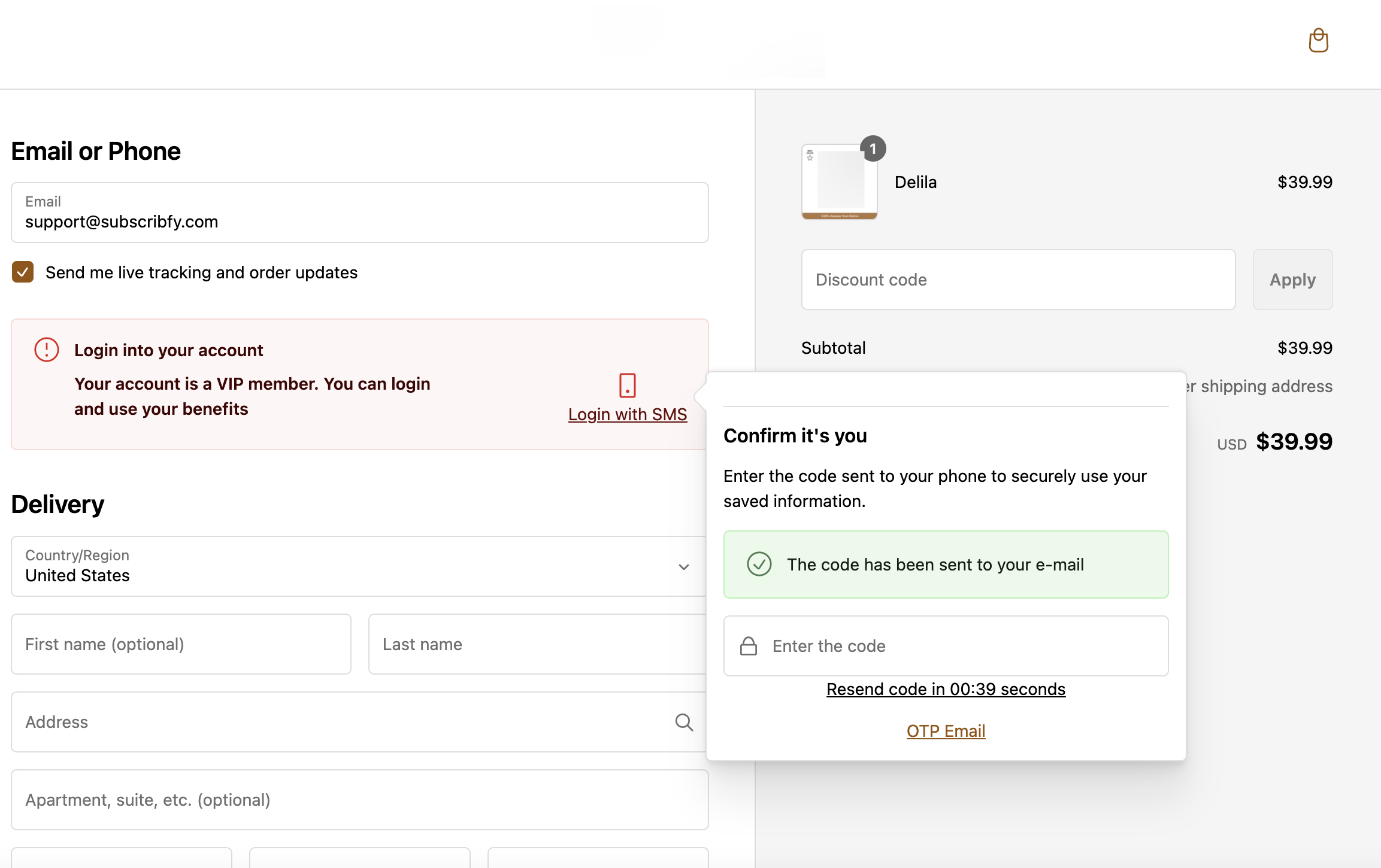
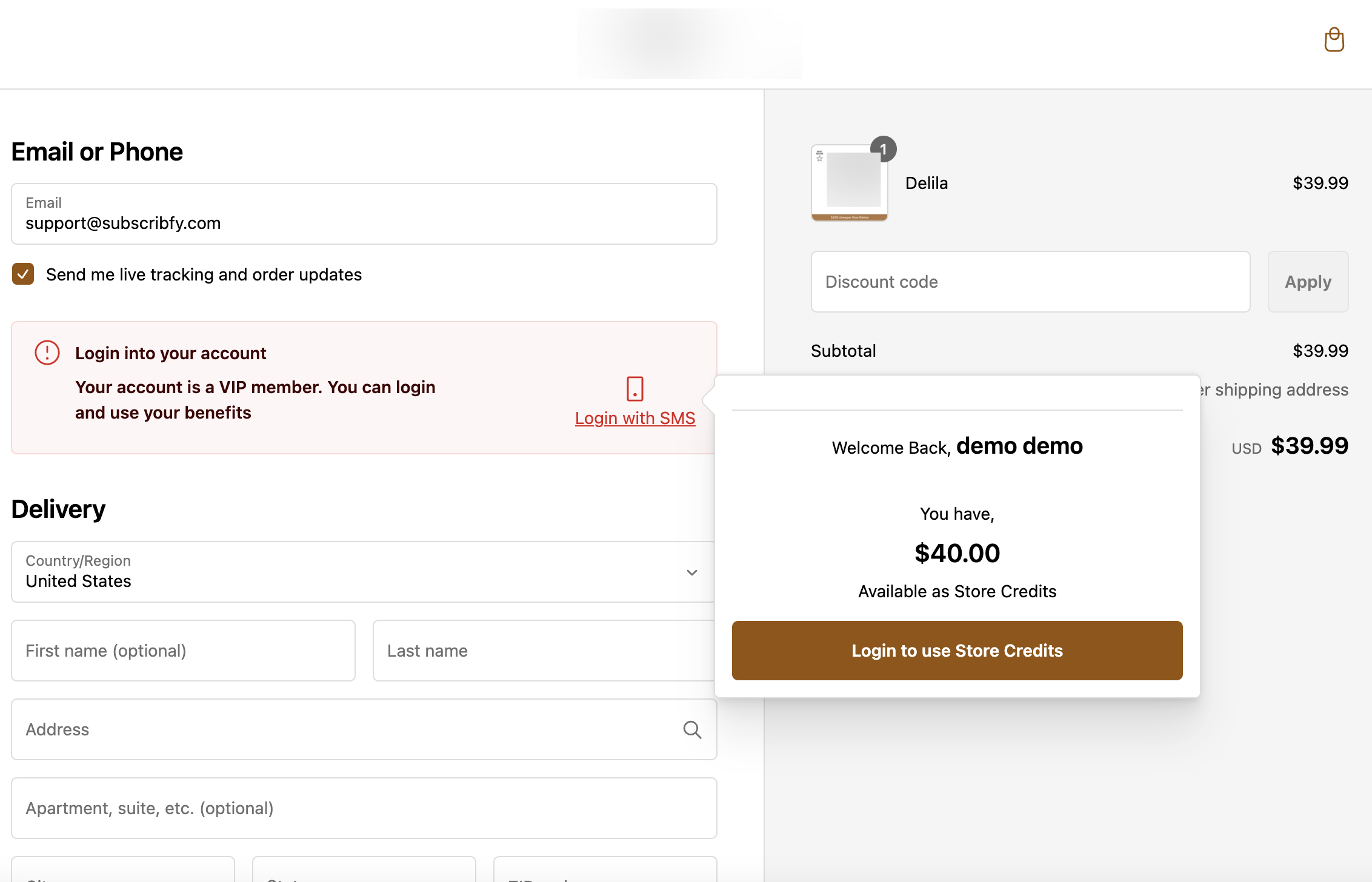
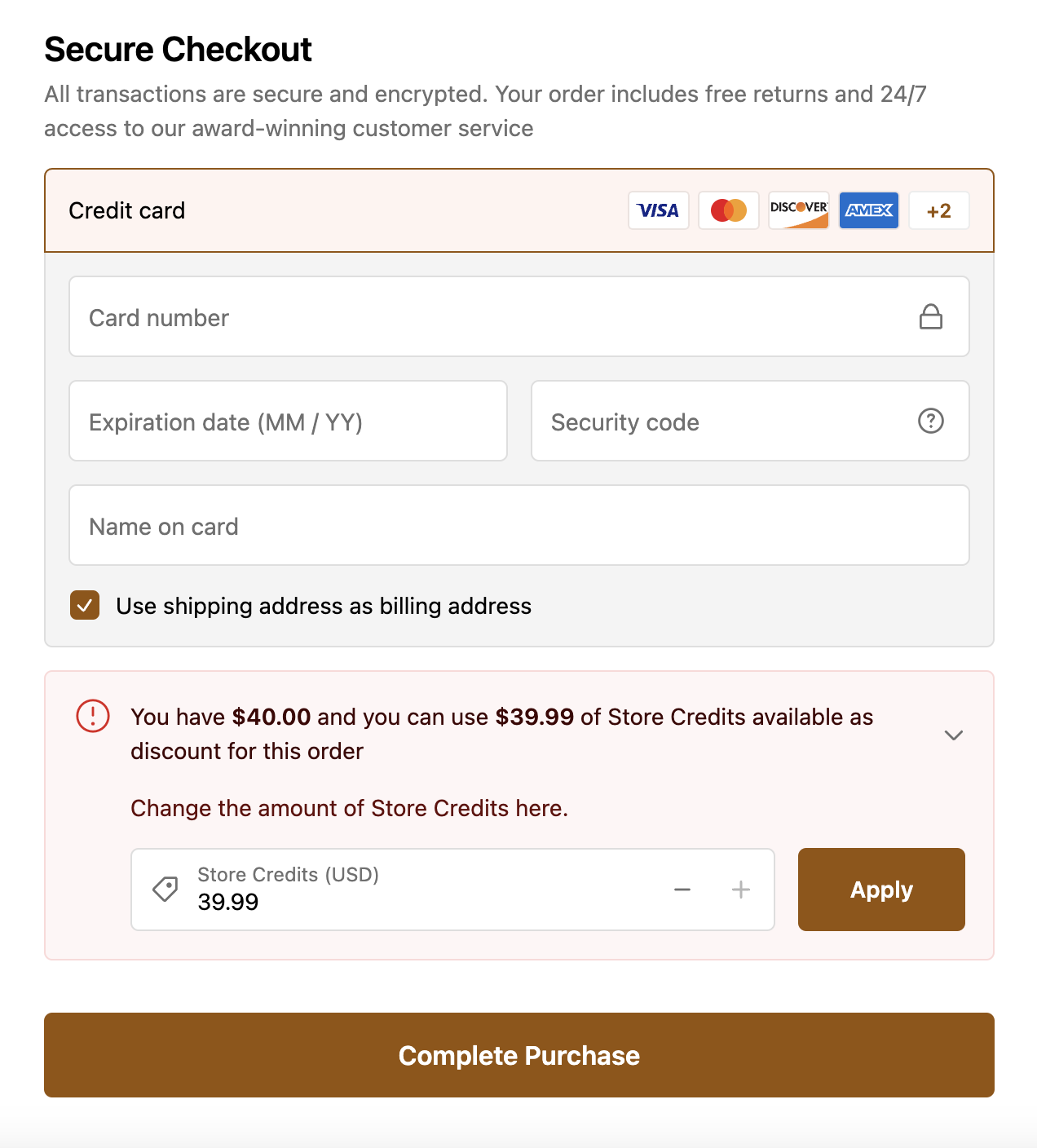
For stores not on Shopify Plus, members must log into their customer account before reaching checkout to access their store credit.
The OTP recognition at checkout is only available for Shopify Plus stores.
Cancel or Pause Membership
There are two ways to help a customer cancel or pause their membership:
Send the customer their unique member portal link where they can self-manage.
Go to Shopify Admin → Apps → Subscribfy → Subscriptions
Find and click on the member. Click the arrow to expand:
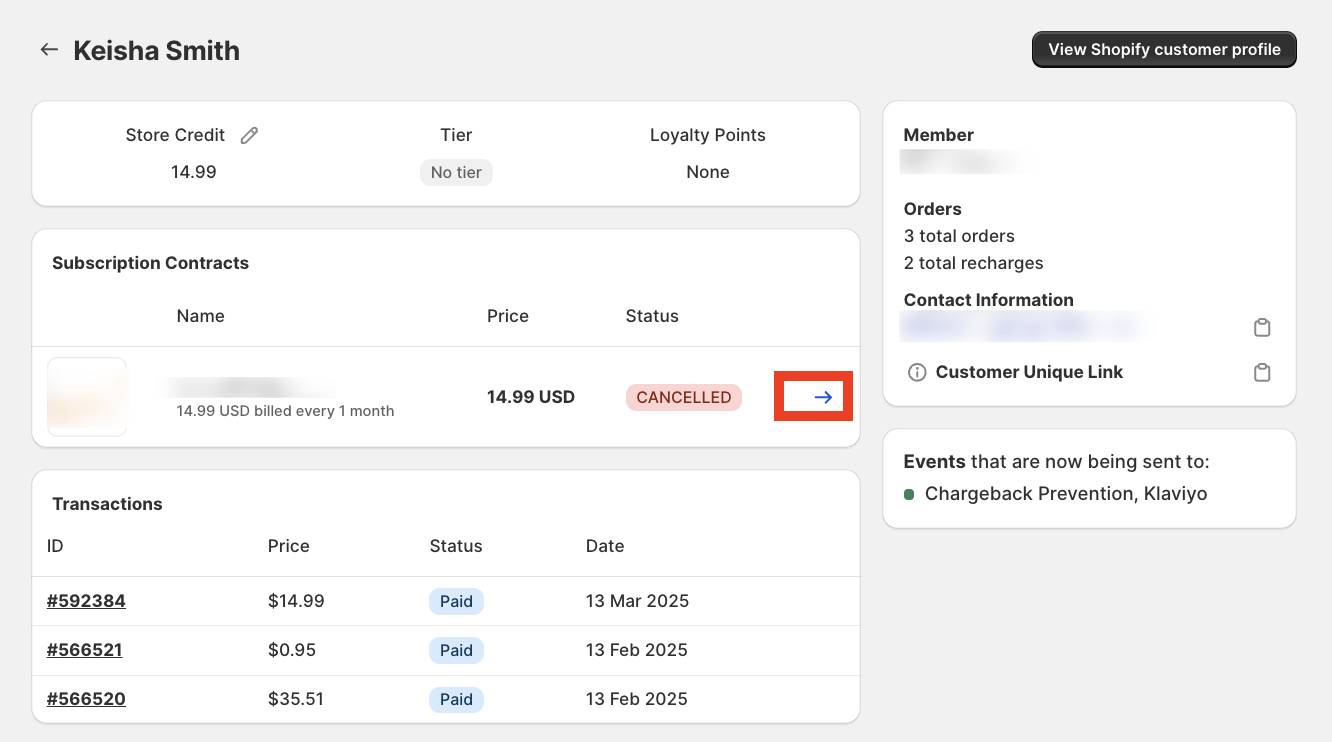
Find and copy the unique member portal link:
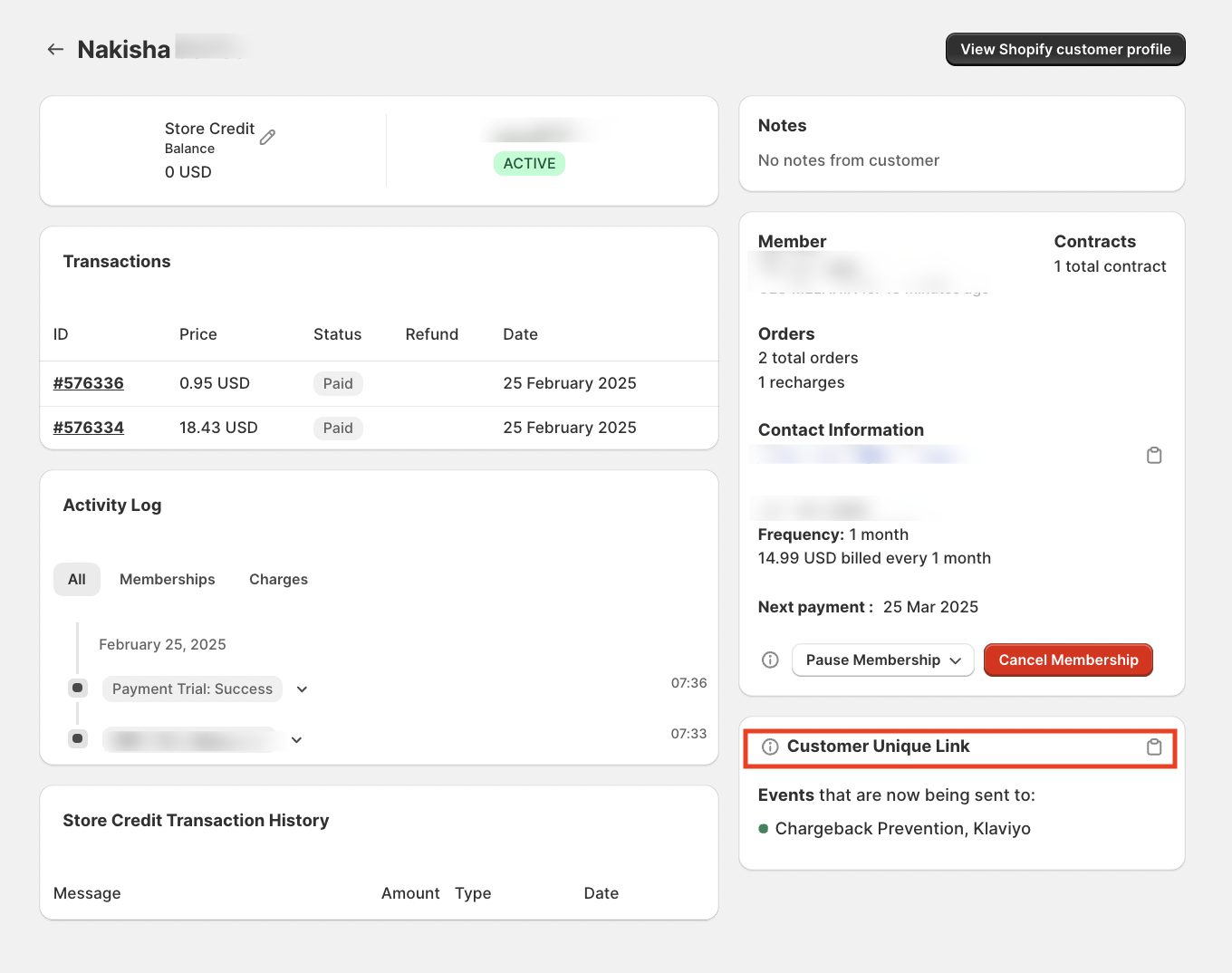
Send this link to the customer - they can pause/cancel from their portal.
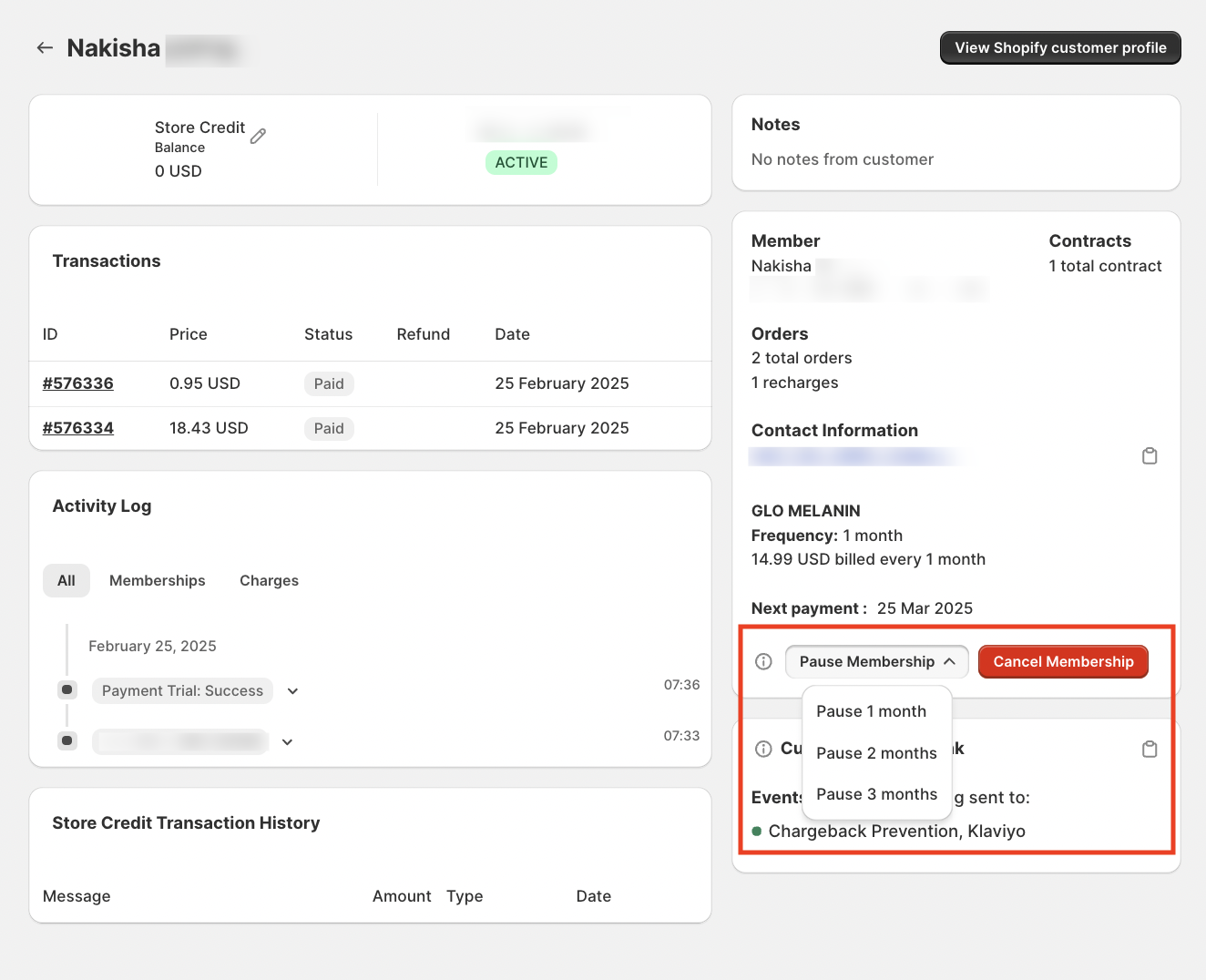
Cancel or pause directly from the Subscribfy admin.
Go to Shopify Admin → Apps → Subscribfy → Subscriptions
Find and click on the member. Click the arrow to expand:
Click Cancel Membership or Pause 1, 2, 3 months:
After Membership Cancellation
When a shopper cancels their membership:
| What Happens | Details |
|---|---|
| Perks removed | They can no longer use member discounts or perks |
| Store credit retained | They keep their store credit for 12 months |
| Can reactivate anytime | Via their portal or by selecting VIP at checkout |
Reactivate a Membership
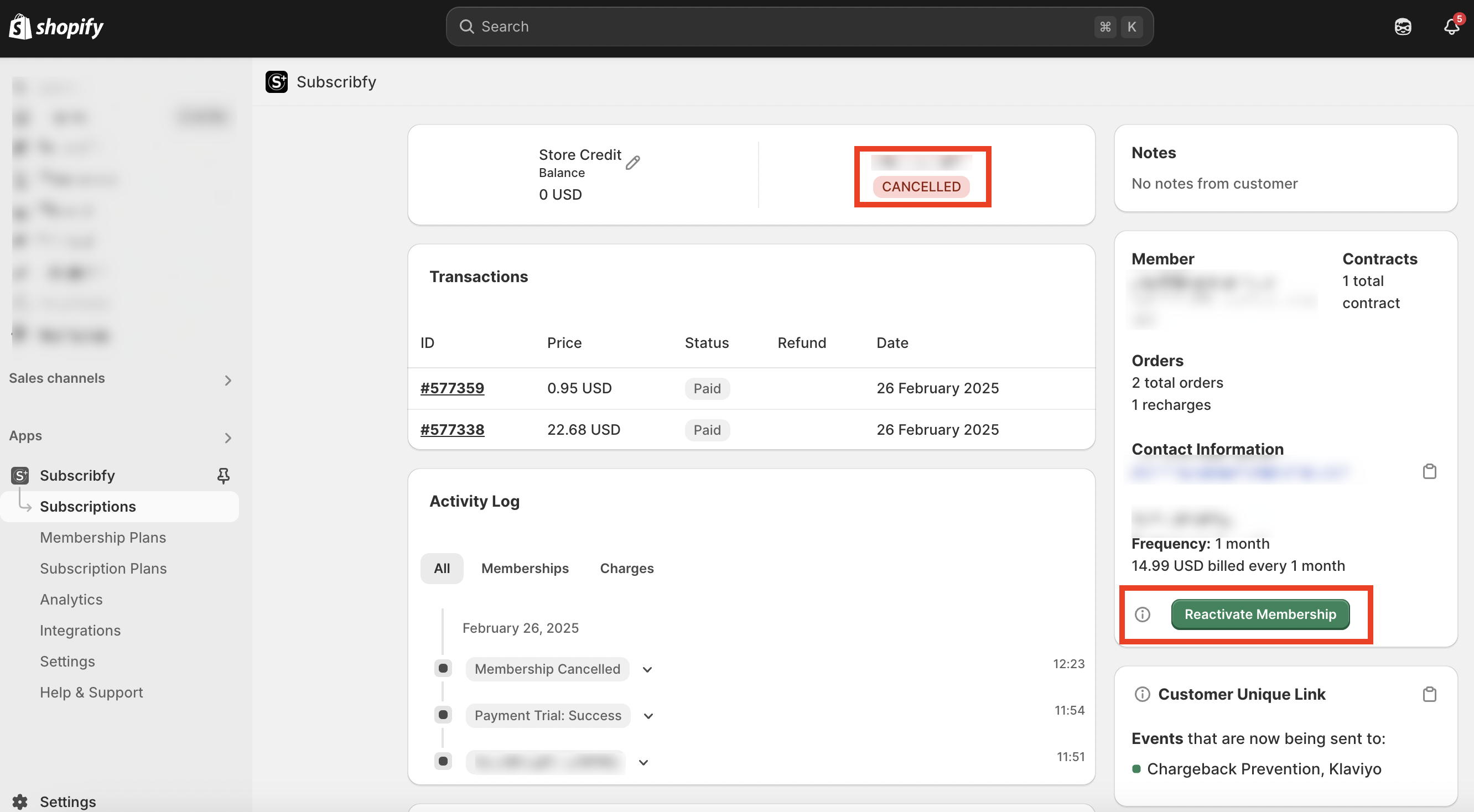
You can reactivate a cancelled membership from the backend:
Forgot to Apply Store Credit
If a customer placed an order but forgot to apply their store credit:
Issue Refund
Issue a refund for the store credit amount following your regular Shopify Admin refund process.
Adjust Store Credit Balance
Go to Shopify Admin → Apps → Subscribfy → Subscriptions
Find the customer and click on their profile. Scroll to "Store Credit Balance Manager"
Deduct the Amount
Choose "Adjust Balance" and enter the refunded amount with a negative sign (e.g., -25.00)
Use a consistent tag like "Forgot to use store credit" for tracking.
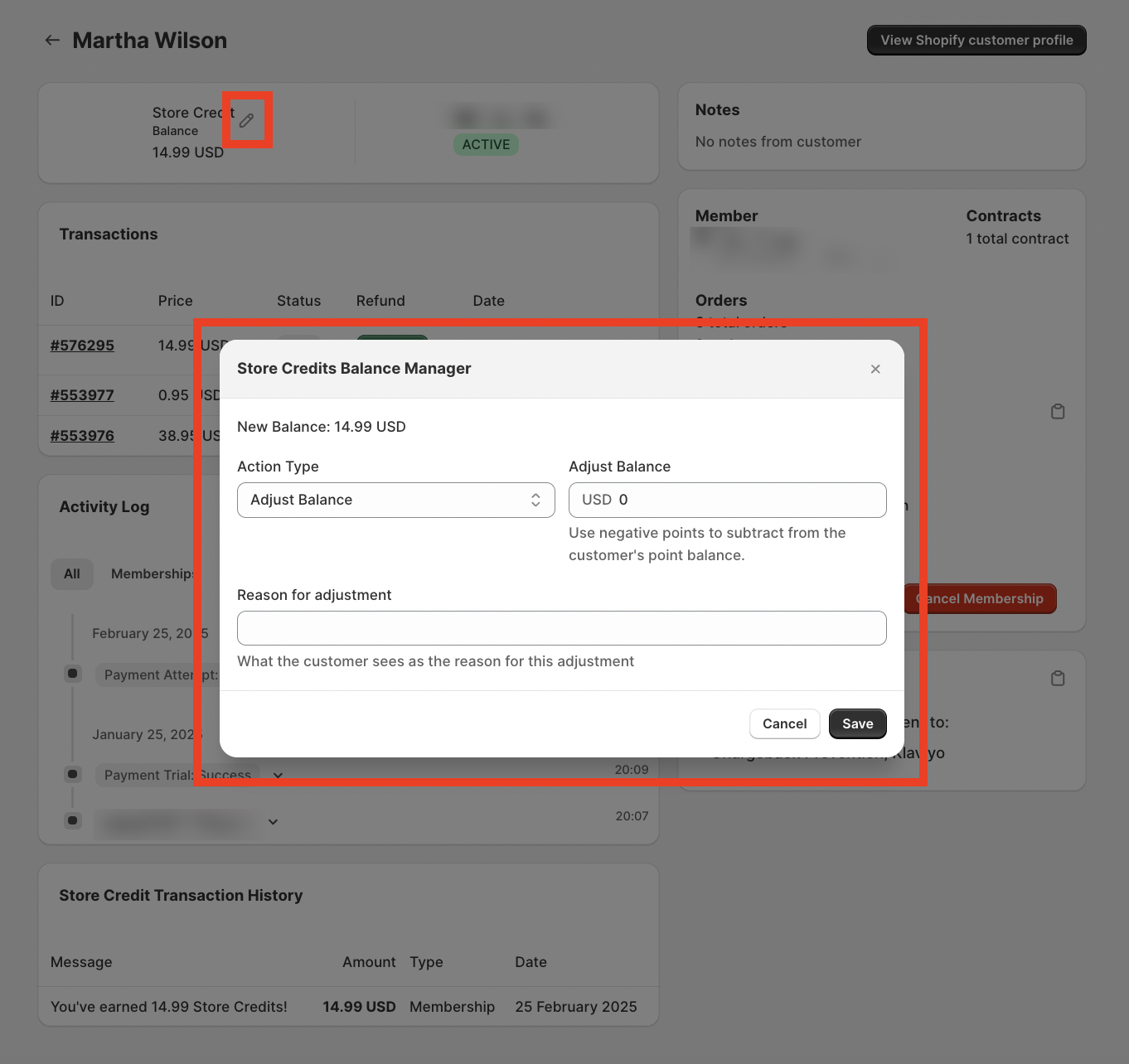
Click Save to apply the adjustment.
Common CX Scenarios
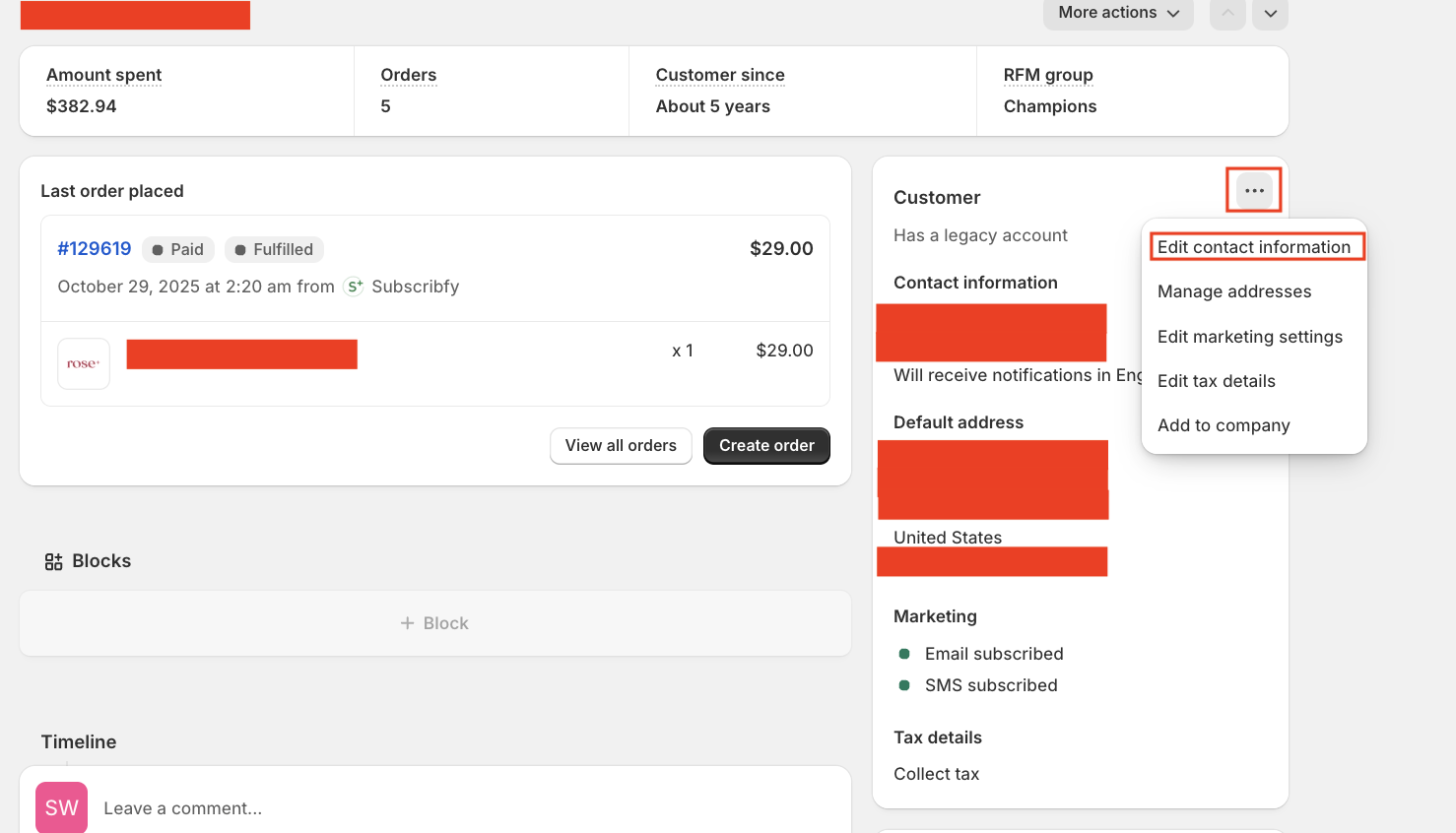
Edit Customer Email in Shopify
If you need to update a customer's email address (for order confirmations or login):
Go to the customer page in Shopify Admin → Customers → Select customer
Click the three-dot menu (...) in the top-right corner
Select "Edit contact information"
Enter the new email address and click Save
If the new email is already linked to another Shopify account, add a modifier to the existing/old account (e.g., name+1@domain.com). Do NOT modify the new email where the subscription is associated.
Notes:
- Shopify accepts email aliases with
+(e.g.,name+1@domain.com) - emails still go to the correct inbox - This change doesn't affect order history or subscription - only where notifications are sent
- You can also edit addresses, marketing preferences, and tax settings from the same menu
Need help? Contact support+cx@subscribfy.com
Was this page helpful?